A larger contact database doesn’t automatically create better pipeline. It can just give reps more stale records, more duplicate accounts, and more opportunities to send irrelevant messages. The useful question is not which platform has the most contacts. It’s which job a tool performs well inside your prospecting workflow.
The ten sales prospecting tools below cover different roles, including discovery, enrichment, data verification, intent detection, orchestration, LinkedIn monitoring, and outreach sequencing. Compare them by ICP precision, geographic coverage, workflow complexity, verification quality, integrations, and team size. A small founder-led team may need a fast signal-to-conversation workflow, while an enterprise sales organization may need governance, account scoring, and data controls.
LeadBeast is especially relevant when LinkedIn activity and person-level buying signals sit at the center of your go-to-market motion. Other platforms are stronger as contact databases, enrichment layers, enterprise intelligence systems, or workflow builders. Pricing and performance claims should be validated against your market, usage volume, geographic coverage, and compliance requirements before you commit.
Table of Contents
- 1. LeadBeast
- 2. LinkedIn Sales Navigator
- 3. Apollo.io
- 4. ZoomInfo SalesOS
- 5. Cognism
- 6. Clearbit by HubSpot
- 7. Lusha
- 8. Clay
- 9. SalesIntel
- 10. 6sense Revenue AI
- Top 10 Sales Prospecting Tools Comparison
- Build the Smallest Stack That Fits Your Motion
1. LeadBeast
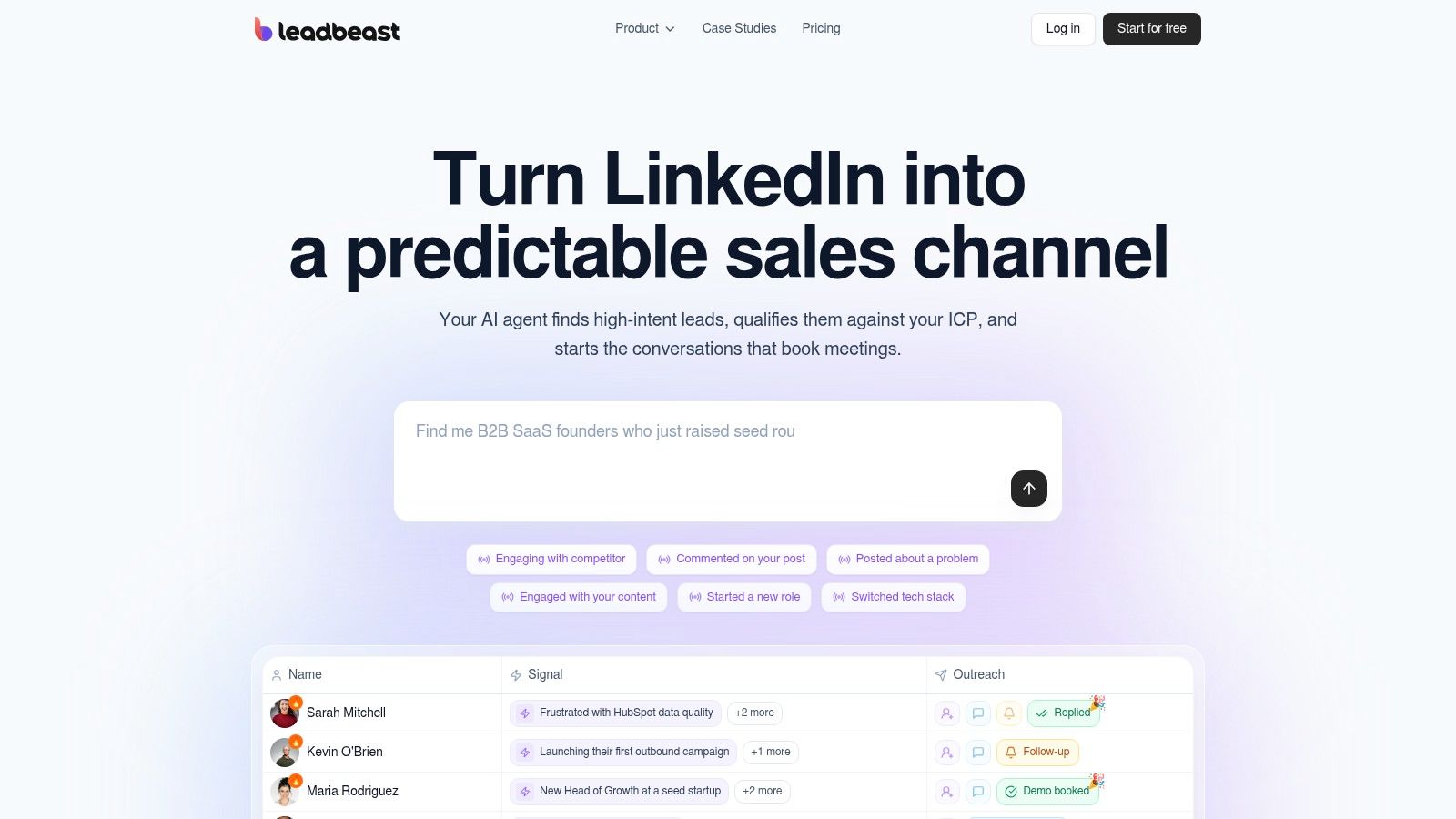
LeadBeast treats LinkedIn prospecting as an intent and conversation workflow, not a static list-building exercise. It monitors public activity such as posts, comments, role changes, and competitor engagement, then qualifies people and companies against a human-readable ideal customer profile. That makes it useful for teams that want to identify why a prospect may be relevant now, rather than just collecting another contact record.
The strongest feature is signal stacking. A single LinkedIn action can be noisy, but several related actions can create a more useful trigger at the person or company level. LeadBeast can use those patterns to prioritize prospects, score them against ICP and buying stage, and generate outreach that reflects the event behind the recommendation.
Where it fits in the stack
Smart Audiences let teams describe their ICP in plain English and create living lists segmented by role, firmographics, behavior, and stage. Those audiences refresh automatically, which removes the repeated CSV exports and manual uploads that often create duplicates in a CRM.
Once a lead matches, LeadBeast can draft context-aware LinkedIn messages and follow-ups, preserve the trigger in the conversation context, and centralize replies in one inbox. Bidirectional syncing with CRM and outreach systems helps prevent LinkedIn activity from becoming a separate, invisible pipeline.
Practical rule: Use LeadBeast to decide who deserves a conversation and why. Don’t let it become another broad list generator that maximizes message volume without a clear relevance threshold.
The trade-off is that LeadBeast is priced per LinkedIn sender, so costs can rise for large teams or agencies managing many client senders. There’s also no native mobile app, which makes the web-first inbox less convenient for reps who expect mobile campaign management. Its safety-first delivery, human-like pacing, limits, API and MCP access, and quick setup make it a strong fit for B2B SaaS founders, growth leaders, SDR teams, agencies, and early-stage companies where quality matters more than raw volume. Explore the platform at LeadBeast.
2. LinkedIn Sales Navigator
LinkedIn Sales Navigator is the native choice for teams that want to prospect directly on LinkedIn’s professional graph. It works particularly well for relationship-led selling, account-based prospecting, and warm introduction strategies, because the network itself supplies context that external databases may miss.
Its advanced search includes more than 50 filters, including role, seniority, geography, industry, company size, tenure, and other account or lead attributes, as described in LinkedIn’s Sales Navigator product information. Lead IQ and Account IQ help reps research prospects and companies, while alerts surface job changes and activity that can create a natural reason to engage.
TeamLink is valuable when several sellers share a network. Instead of asking every rep to start cold, managers can identify relationship paths and coordinate introductions. CRM integrations can also support lead and contact creation, though the exact functionality depends on the plan and connected system.
Sales Navigator’s main limitation is that LinkedIn context isn’t the same as complete contact data. Teams usually need a separate enrichment or verification provider for email addresses and phone numbers. InMail can open doors, but response quality still depends on targeting, message relevance, account timing, and the prospect’s willingness to use LinkedIn for business conversations.
For a broader workflow that connects LinkedIn signals with automated qualification and outreach, compare LinkedIn lead generation tools rather than treating Sales Navigator as a complete outbound system.
3. Apollo.io
Apollo.io combines a B2B prospect database with engagement features, making it attractive to startups and mid-market teams that want fewer separate systems. Its core workflow runs from contact discovery and enrichment to sequences, dialing, research, and CRM activity, so reps don’t need to move immediately between a data provider and an outreach platform.
The database and Chrome extension support list building while browsing company websites or professional profiles. Sequences, the dialer, AI research, and website visitor identification add engagement and prioritization features that make Apollo more than a contact lookup tool. API access can also help RevOps teams connect Apollo to their existing systems.
Apollo’s published pricing structure and self-serve checkout can make initial evaluation easier than quote-led enterprise platforms. Bundled credits can provide good value for a team that knows its expected search, export, enrichment, and dialing patterns.
The catch is that usage isn’t always predictable. Advanced actions may require add-ons, credit top-ups, or more expensive tiers. Data quality can vary by geography, industry, role, and company maturity, so a niche ICP should be sampled and verified before a large sequence launches.
Data check: Test records from your actual target segment, not a generic list. A database can look strong in aggregate while underperforming for the specific roles and regions your reps need.
Apollo works best when one platform needs to cover several jobs adequately. It may be less suitable when LinkedIn-native intent is the main qualification signal or when enterprise governance requires deeper control over data sources and permissions. Teams comparing it with broader engagement systems can also review sales automation software before adding another sequencing layer.
4. ZoomInfo SalesOS
ZoomInfo SalesOS is built for enterprise sales intelligence. It combines company and contact research with firmographics, technographics, direct dials, org charts, alerts, intent partnerships, and extensive CRM and sales engagement integrations. That breadth helps large revenue organizations coordinate sales, marketing, operations, and account-based programs around a shared intelligence layer.
The platform is particularly useful when account selection requires more than title and industry. Technographic information can support plays based on installed systems, while org charts help reps map buying committees. Alerts and Scoops can surface business events that justify account research or a coordinated follow-up.
Its enterprise ecosystem is a significant strength. Teams can add related capabilities for intent, conversation intelligence, marketing, operations, and talent, depending on their requirements. Governance and integration depth also matter when multiple regional teams need consistent definitions, ownership rules, and CRM synchronization.
The trade-off is procurement. ZoomInfo doesn’t publish a public rate card, and plans are generally sold through annual, multi-seat agreements. That makes careful scoping essential, particularly for smaller teams that may pay for data coverage or modules they won’t use.
Implementation caution: Don’t evaluate ZoomInfo only through database size. Define the accounts, personas, regions, workflows, integrations, and reporting outcomes you need, then ask the vendor to demonstrate those exact use cases.
For a more focused comparison of intelligence platforms and how they support different prospecting jobs, see sales intelligence tools. ZoomInfo is strongest when enterprise scale and governance justify the operational investment.
5. Cognism
Cognism is a strong option for teams that need sales intelligence with an emphasis on European and UK coverage, compliance, and phone verification. Its offering includes contact enrichment, intent signals, hiring and funding triggers, AI-assisted search, a browser extension, and API access.
The phone-verified contact model is its clearest differentiator. For teams that rely on calling, verification quality can matter more than the number of records available. Cognism also supports prospect research while reps browse LinkedIn or company websites, which keeps discovery close to the seller’s normal workflow.
Its compliance positioning is especially relevant for organizations operating across jurisdictions. That doesn’t remove the need for your own legal review, consent policies, suppression lists, and regional outreach rules, but it gives compliance-conscious teams a more suitable starting point than an unstructured list source.
Pricing isn’t published, so buyers need a sales conversation to understand seats, data access, enrichment, intent, contract terms, and any regional limitations. Coverage may also be less deep than ZoomInfo’s in some US segments. The right evaluation should therefore use a representative sample of your actual European, UK, and US target accounts.
Cognism fits teams that need verified phone data and regional confidence more than a flexible, self-serve pricing experience. It can serve as the data layer behind an outreach platform, but avoid activating records until your CRM matching, consent checks, ownership rules, and suppression processes are configured.
6. Clearbit by HubSpot
Clearbit, now part of HubSpot’s Smart CRM offering, is primarily an enrichment and routing layer, not a standalone outbound engine. It helps marketing, RevOps, and product-led teams append company and person information, identify visiting accounts, and use firmographic context to personalize or route leads.
The Reveal capability is useful when a website visitor remains anonymous at the person level but can still be associated with a company. That information can support account qualification, territory assignment, sales alerts, and marketing segmentation. Clearbit also offers enrichment APIs, webhooks, developer integrations, and detailed firmographic fields such as NAICS and SIC classifications.
Its tight HubSpot relationship is the main reason to consider it. Teams already operating inside HubSpot can reduce integration work and keep enrichment closer to the CRM and marketing automation workflow. The API surface also suits organizations that want to trigger enrichment programmatically rather than rely only on manual lookups.
The product has changed commercially. Free platform features were sunset in 2025, according to the product plan notes, so buyers should confirm current packaging and access before assuming a low-cost entry point. Some users also report pricing creep and mixed data experiences following the acquisition, which makes a controlled data-quality test important.
Clearbit is best when the problem is incomplete records, lead routing, or anonymous account identification. It won’t replace a LinkedIn intent workflow, a dedicated contact database, or a sequencing platform unless your wider HubSpot setup already supplies those functions.
7. Lusha
Lusha is designed for quick contact discovery. Its browser extension lets reps reveal email addresses and phone numbers while browsing LinkedIn or company websites, then push records into connected systems through integrations or API access. The experience is intentionally simple, which makes it suitable for self-serve teams that don’t want a long implementation project.
The credit model creates flexibility. Email and phone reveals consume credits differently, and higher tiers can include rollover, so smaller teams can start with a limited workflow and expand when usage becomes clearer. A free plan also makes it practical to test the extension against real accounts before standardizing it across a sales team.
Lusha’s weakness is coverage consistency. Phone depth can vary by region and industry, so reps should validate a sample of the roles they call. Credit consumption can also escalate when a campaign combines large-scale email discovery, phone reveals, enrichment, and repeated lookups.
Usage discipline: Assign a credit budget to a defined account list. Don’t let reps spend credits on contacts that haven’t passed basic ICP, territory, and ownership checks.
Lusha works well as a last-mile contact layer after account discovery. It can complement LinkedIn Sales Navigator, intent tools, or an account list from a CRM, but it shouldn’t automatically create a new record every time a rep opens a profile. Deduplication, contact matching, and CRM ownership rules should run before activation.
8. Clay
Clay is a GTM engineering workspace for teams that need to design their own enrichment and orchestration logic. It can combine multiple data providers, build audiences, run AI research through Claygent, track signals such as job changes, synchronize with CRMs or warehouses, and trigger outreach workflows.
The platform’s central advantage is flexibility. A team can create waterfall enrichment that moves from one provider to another when a field is missing, then use AI research to add contextual information that standard databases don’t expose. Bringing your own API keys can also make sense when the company already pays for several specialist data services.
That flexibility requires ownership. Clay workflows need clear field definitions, source priority, retry logic, cost controls, and tests for edge cases. The separate Actions and Data Credits usage model means an apparently simple enrichment recipe can become expensive or difficult to forecast if it runs across a broad audience.
Design the workflow before adding providers
Start with one narrow job, such as identifying target accounts, enriching a missing role field, or routing a buying signal into an existing sequence. Define what happens when providers disagree, how duplicate records are merged, and which system owns the final value.
Clay is powerful when a capable RevOps or growth engineering team can maintain those decisions. It isn’t the best choice for a team that wants immediate out-of-the-box prospecting with minimal configuration. Used well, it can sit between discovery sources, enrichment vendors, CRM records, and outreach systems without forcing every process into a single database.
9. SalesIntel
SalesIntel positions itself around human-verified B2B contact data, direct dials, enrichment, technographics, visitor deanonymization, and layered buying signals. Its VisitorIntel and Smart Forms capabilities extend the platform beyond outbound list building into inbound qualification and account identification.
The human verification emphasis is useful for teams that care about connect quality and don’t want to rely solely on automated data collection. Direct dials can support calling motions, while CRM and sales engagement integrations help move records into existing workflows. A Chrome extension also keeps research accessible during day-to-day prospecting.
SalesIntel’s flagship plans emphasize unlimited exports and enrichment, but buyers should confirm exactly what that term includes. Add-ons, fair-use language, available regions, and contract restrictions can materially change the value of an apparently broad usage promise.
Pricing is quote-based, so the evaluation should include your actual personas, geography, expected export volume, verification requirements, and CRM destinations. Don’t accept a general data-quality demonstration as a substitute for testing records from your target segment.
SalesIntel fits teams that want an accuracy-led data source with inbound and outbound use cases. It still needs a clear activation policy. Human-verified contact data can improve the starting point, but irrelevant targeting and poorly paced automation will still damage response quality and waste rep time.
10. 6sense Revenue AI
6sense Revenue AI is designed for account-based and intent-led revenue programs. It uses predictive modeling, account scoring, web deanonymization, third-party intent integrations, technographic and psychographic data, alerts, and workflow tools to help revenue teams decide which accounts deserve coordinated attention.
The platform’s value appears when an organization has enough account structure to act on its signals. Sales Copilot, account and people search, and predictive prioritization can help sales and marketing align around in-market accounts rather than distribute attention evenly across a large territory.
Data credits govern access to emails, phones, and enriched records, so 6sense should be evaluated as both an intelligence system and a data consumption model. The implementation also requires agreement on account stages, scoring rules, signal interpretation, routing, and what a rep should do when an account’s score changes.
Its enterprise orientation brings governance and integrations, but it also raises cost and implementation concerns. Community feedback frequently highlights price sensitivity, so ROI needs to be qualified against the size of the account-based motion and the team’s ability to operationalize the signals.
6sense is not a lightweight contact finder. It’s a strategic prioritization layer for organizations that can connect intent to coordinated sales and marketing plays. If your team only needs verified contacts for a narrowly defined outbound list, a simpler data provider may be easier to adopt and measure.
Top 10 Sales Prospecting Tools Comparison
| Product | Core features | Quality (★) | Value / Price (💰) | Target (👥) | Unique selling points (✨) |
|---|---|---|---|---|---|
| 🏆 LeadBeast | Real‑time LinkedIn signals, signal‑stacking, Smart Audiences, AI outreach, centralized inbox, CRM & API sync | ★★★★☆ | 💰 $99 / $237 / $483 mo (1/3/7 senders); 7‑day trial | 👥 B2B SaaS founders, VPs Sales, SDR/BDR teams, agencies | ✨ Plain‑language ICPs, living audiences, safety‑first pacing, trigger‑conditioned outreach |
| LinkedIn Sales Navigator | Advanced LinkedIn search/filters, alerts, InMail, TeamLink, CRM integrations | ★★★★☆ | 💰 Per‑seat subscription (tiered) | 👥 Relationship‑led sellers, ABM teams, enterprise reps | ✨ Native LinkedIn graph, TeamLink intros, activity alerts |
| Apollo.io | Large contact DB, enrichment, sequences, dialer, AI research, website ID | ★★★☆☆ | 💰 Self‑serve tiers + credits; strong value per seat | 👥 Startups → mid‑market GTM teams | ✨ All‑in‑one engagement + data, transparent checkout |
| ZoomInfo SalesOS | Deep firmographics/technographics, direct dials, org charts, intent partnerships | ★★★★☆ | 💰 Quote/annual enterprise contracts (higher cost) | 👥 Large sales orgs, enterprise ABM | ✨ Broadest US coverage, mature integrations & add‑ons |
| Cognism | GDPR‑focused EU/UK data, phone‑verified contacts, enrichment, intent triggers | ★★★☆☆ | 💰 Quote‑based (sales engagement required) | 👥 EU/UK‑centric teams, compliance‑sensitive buyers | ✨ GDPR‑compliant data, phone verification emphasis |
| Clearbit (by HubSpot) | Enrichment APIs, Reveal deanonymization, firmographics, HubSpot integration | ★★★☆☆ | 💰 Paid tiers / API pricing (post‑2025 paywall) | 👥 Marketing, RevOps, HubSpot users | ✨ Reveal web deanonymization, tight HubSpot integration |
| Lusha | Email/phone reveal, Chrome extension, enrichment, credit model | ★★★☆☆ | 💰 Credit‑based pricing; free tier with monthly credits | 👥 Self‑serve SDRs, small teams | ✨ Easy onboarding, flexible credit usage |
| Clay | Multi‑provider enrichment, AI agents (Claygent), audience building, orchestration | ★★★☆☆ | 💰 Actions + Data Credits; BYO API key model | 👥 GTM engineers, ops teams building custom pipelines | ✨ Multi‑source orchestration, AI research agents |
| SalesIntel | Human‑verified contacts, direct dials, VisitorIntel, enrichment, Chrome ext. | ★★★★☆ | 💰 Quote‑based; flagship plans emphasize “unlimited” options | 👥 Teams needing verified dials, ABM & inbound ops | ✨ Human‑verified data, high direct‑dial accuracy |
| 6sense Revenue AI | Predictive modeling, account scoring, intent, web deanonymization, integrations | ★★★★☆ | 💰 Enterprise pricing / data credits; implementation cost | 👥 Enterprise ABM, revenue & marketing ops | ✨ Predictive prioritization, deep intent + account signals |
Build the Smallest Stack That Fits Your Motion
The right stack starts with the motion, not the vendor shortlist. Define your ICP in operational terms, including the roles that matter, the company characteristics that indicate fit, the buying stages you can recognize, and the geography your team can serve. Geographic coverage affects data quality, compliance obligations, language, phone availability, and the usefulness of intent signals.
Next, choose the primary discovery or intent source. LinkedIn Sales Navigator is a strong foundation for relationship-led prospecting and native professional activity. LeadBeast is more relevant when public LinkedIn behavior, signal stacking, person-level intent, and context-aware conversations are central to qualification. ZoomInfo SalesOS, Cognism, Apollo.io, Lusha, or SalesIntel can provide contact discovery and enrichment, while Clay or 6sense can support custom orchestration and account prioritization.
Don’t let every tool write to the CRM independently. Assign one system of record, define the account and contact matching rules, and decide which platform owns each field. A practical structure might use an intent source to identify an account, a data platform to verify contact details, an orchestration layer to apply routing and suppression logic, and one outreach system to activate the record.
Validate the workflow before expanding it
Start with a narrow pilot. Use a defined ICP slice, a limited set of accounts, and a clear handoff from signal detection to human review or automated outreach. Check whether the tool creates duplicates, overwrites trusted CRM fields, loses the original signal, or sends prospects into multiple sequences at once.
Data freshness deserves special attention. Independent benchmark-style coverage reports 98% email accuracy with a 7-day refresh cycle for one verification-focused provider, compared with roughly 85% to 93% accuracy and approximately 6-week refresh cycles for enterprise data platforms, as summarized by Prospeo’s B2B prospecting comparison. The practical lesson is more important than the ranking. Test refresh latency and verification quality in your market instead of assuming that the largest database is the cleanest.
AI adoption is widespread, but intent tooling is less established. A 2026 industry analysis reports that 81% of sales teams have implemented or are experimenting with AI, while 25% of B2B companies use intent or signal data tools. The same analysis cites 15% to 25% reply rates for signal-personalized outreach, compared with a 3% to 5% cold-email baseline, but those figures depend on ICP fit, timing, message quality, data quality, and execution. Treat them as reported benchmarks, not promises, and review the underlying state of AI sales prospecting analysis.
Measure quality, not activity alone
During the first evaluation cycle, monitor:
- Data accuracy: Check valid contact details, role fit, duplicate rates, and refresh behavior.
- Qualified replies: Separate relevant conversations from polite declines, automated responses, and wrong-person replies.
- Booked meetings: Track meetings that match the ICP, not just calendar events.
- Credit consumption: Compare searches, enrichments, exports, and retries with the records that reached activation.
- Workflow integrity: Confirm that signals, ownership, suppression rules, and conversation context remain visible.
- Platform safety: Review pacing, account limits, deliverability, consent requirements, and regional compliance before increasing automation.
The category is moving toward live queues, waterfall enrichment, and continuous re-ranking, but those features don’t solve weak data or unclear ownership. Recent discussion of scalable AI prospecting platforms reinforces the operational point: real-time prioritization works only when the surrounding CRM, enrichment, sequencing, and review processes are connected.
For LinkedIn-led B2B teams, LeadBeast can serve as the signal-to-conversation layer, detecting public activity, matching it against a plain-language ICP, and generating outreach tied to the event that prompted engagement. Apollo.io, ZoomInfo SalesOS, Cognism, Lusha, and SalesIntel can handle contact discovery or enrichment where required. Clay can coordinate multi-provider workflows, while 6sense can support predictive account prioritization for larger ABM programs.
Choose the smallest combination that closes your most expensive workflow gap. Then expand only after the pilot proves that your data stays accurate, your records stay synchronized, your reps receive useful context, and your automation creates qualified conversations without excessive message volume or platform risk.
LeadBeast turns LinkedIn activity into a focused B2B prospecting workflow by detecting buying signals, matching prospects to your ICP, and generating context-aware outreach. If you want to test a signal-first approach instead of expanding another cold list, visit LeadBeast and start evaluating how LinkedIn conversations can fit into your existing CRM and outreach stack.