Buying a larger database and sending more messages is not a reliable fix for flat reply rates. It adds software cost and gives SDRs more cold contacts to work through. Many B2B buyers ignore outreach with no clear connection to their needs.
The right tool depends on the work. Contact data, relationship research, workflow automation, and intent-led outreach solve different problems. A founder without SDRs may not need an enterprise intelligence suite. A phone-heavy team needs a workflow beyond LinkedIn.
These seven tools support distinct prospecting motions. Compare the buying signal each one captures, how it fits your team’s workflow, and whether you pay per sender or per credit. Check how data is verified and how replies reach your CRM. A large database is useful only when its records and signals fit your ICP. Test the shortlist against your real prospects before committing.
Table of Contents
- 1. LeadBeast
- 2. Apollo.io
- 3. LinkedIn Sales Navigator
- 4. Clay
- 5. Lusha
- 6. Cognism
- 7. ZoomInfo
- How the seven sales prospecting tools compare on price, free access, and best-fit use case
- Pick the Stack Your SDRs Will Actually Use
1. LeadBeast
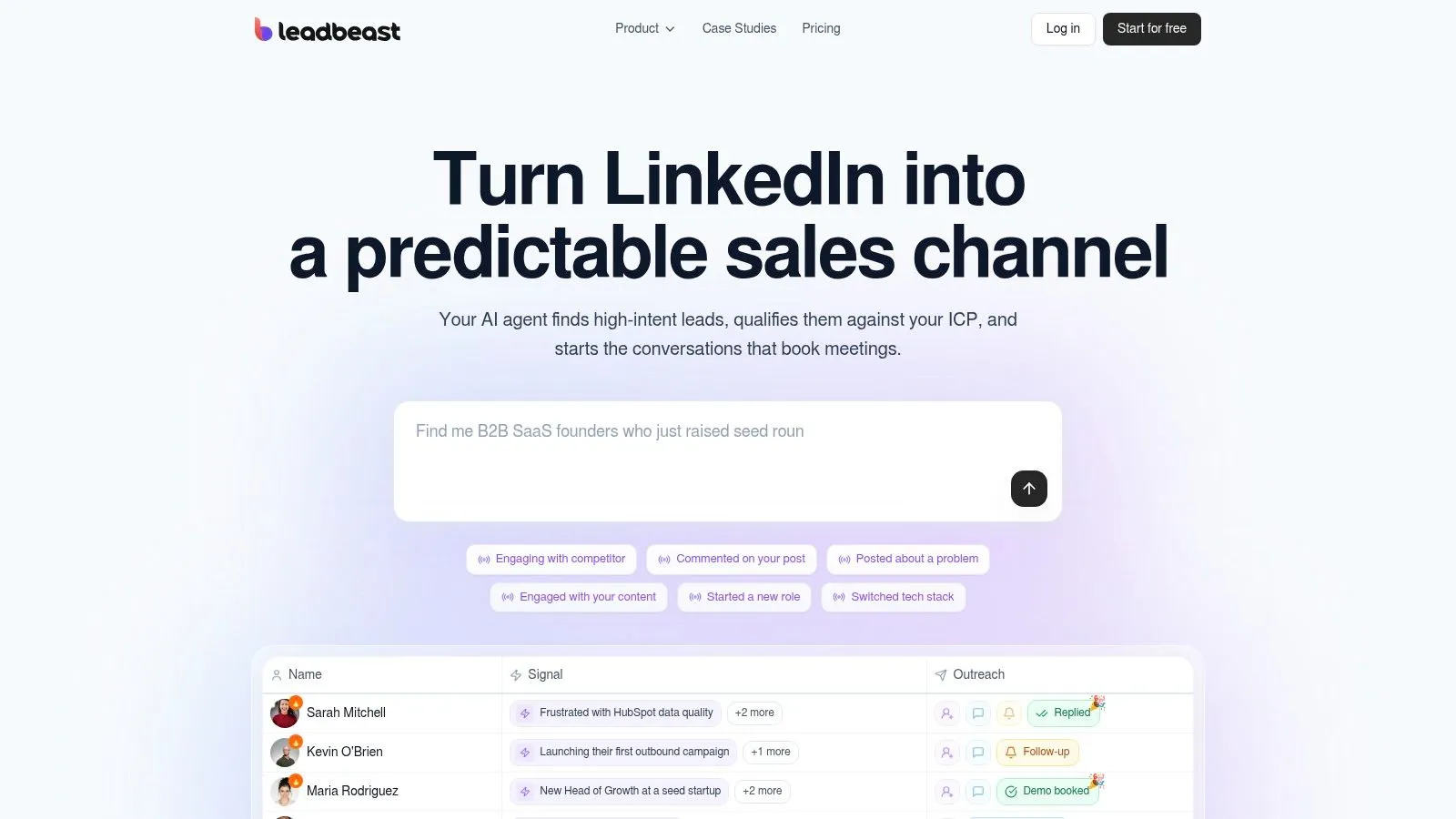
LeadBeast suits teams that already use LinkedIn for acquisition and value relevant conversations over message volume. It monitors activity such as posts, comments, role changes, competitor engagement, and profile visits. The platform enriches and scores each lead against your ICP, then automatically contacts only high-intent profiles. You can describe your ideal buyer in plain language, and matching considers people as well as their companies.
The signal determines the outreach. A comment on a competitor’s post, a LinkedIn post about a problem you solve, or a new role for someone in your ICP can prompt a personalized message. The point is to contact people showing buying intent, not to send a cold list. LeadBeast fits founders seeking pipeline without hiring SDRs, sales teams prioritizing lead quality, and agencies managing outreach for multiple clients. It is a weaker fit if LinkedIn is not part of your acquisition strategy or you need volume above relevance.
For B2B offers such as SaaS, services, and high-ticket sales, users typically see 30–60% connection acceptance rates and 20–55% reply rates. Results depend on your ICP, offer, and messaging. LeadBeast can automate signal monitoring and outreach, but it does not replace strategy.
What the workflow actually costs
Plans are priced per LinkedIn sender, rather than per credit. The Professional plan is $237 per month, billed monthly, and includes three LinkedIn senders, six campaigns, and 10 team seats. Labeled the most popular plan, it includes the same core features as other plans. The Business plan is $483 per month, billed monthly, with seven senders, 14 campaigns, and 10 team seats. The website also offers a start-for-free option.
Every plan includes unlimited warm leads, 30+ intent signals, AI outreach with lead scoring, one inbox for replies, and API and MCP access. LeadBeast also syncs with CRM and outreach tools in seconds, with integrations for more than 30 other GTM tools. This reduces manual handoffs, though teams still need to define the ICP and review whether the conversations fit their offer.
- Signal-specific copy: AI writes personalized LinkedIn messages around the buying signal, without generic sequences or manual follow-up.
- One reply path: Campaign replies go to a single inbox, with CRM and outreach-tool syncing.
- Sender trade-off: More senders increase capacity and monthly cost. Human-like pacing does not remove LinkedIn account risk.
Practical rule: If your SDRs cannot name the signal in the first line, the outreach is still effectively a cold list.
On sales teams using AI, 80% of reps said it was easy to get the customer insights needed to close deals, versus 54% on teams without AI, according to Salesforce’s 2024 State of Sales research. Judge the workflow by whether qualified conversations and pipeline per sender improve, not by send volume alone.
2. Apollo.io
Apollo.io is the practical all-in-one for startups and small-to-midsize teams that need to find contacts and run basic email outbound from one place. You search and filter companies and people, enrich through CSV, CRM, or API, and build sequences without buying a second engagement tool on day one. A free plan lets you test the workflow, and paid annual pricing is public, which makes the first budget conversation easier.
It is a weak fit if the only job is LinkedIn research. You will pay for data and automation you do not use. Credit limits and plan tiers cap how much you can pull and send, so a “free” evaluation can stall once reps export a real territory. Verify records in your target markets before a large campaign. Stale mobiles and wrong titles burn the first two weeks of a sequence.
Social still beats email for a lot of cold outreach. In HubSpot’s survey of 1,000 global sales professionals, 42% said social media delivered their highest cold-outreach response rate, compared with 26% for email and 23% for phone. Treat Apollo as the database-plus-email layer, then decide whether that channel is where your buyers answer. Teams comparing database tools with intent workflows can use this guide to sales prospecting tools before they lock a contract. For regulated buyers, review Apollo.io features for financial institutions against your compliance bar, not against the feature tour.
3. LinkedIn Sales Navigator
Sales Navigator is strongest when the hard work is identifying the right people inside an account. It is sold per license across several paid tiers, with rates that vary by region and billing term. Confirm LinkedIn’s current pricing before budgeting. Core capabilities include advanced lead and account search, saved lists, job-change and activity alerts, Relationship Explorer, Relationship Maps, and InMail.
Use it when account research and a warm path into a buying committee matter more than direct contact data or automated sequencing. Alerts can give reps a reason to revisit a quiet account and identify people engaging with it. Sales Navigator does not verify direct-dial numbers or run a multichannel cadence. Teams that need those workflows will have to add other tools, which adds cost and requires a clear handoff.
Licensing every SDR can become expensive, so assign seats to the people responsible for account research rather than making them a default for the whole team. Reps who need an email address still have to find someone’s email address elsewhere. For teams choosing a LinkedIn workflow, this comparison of LinkedIn sales tools focuses on how each tool fits the job.
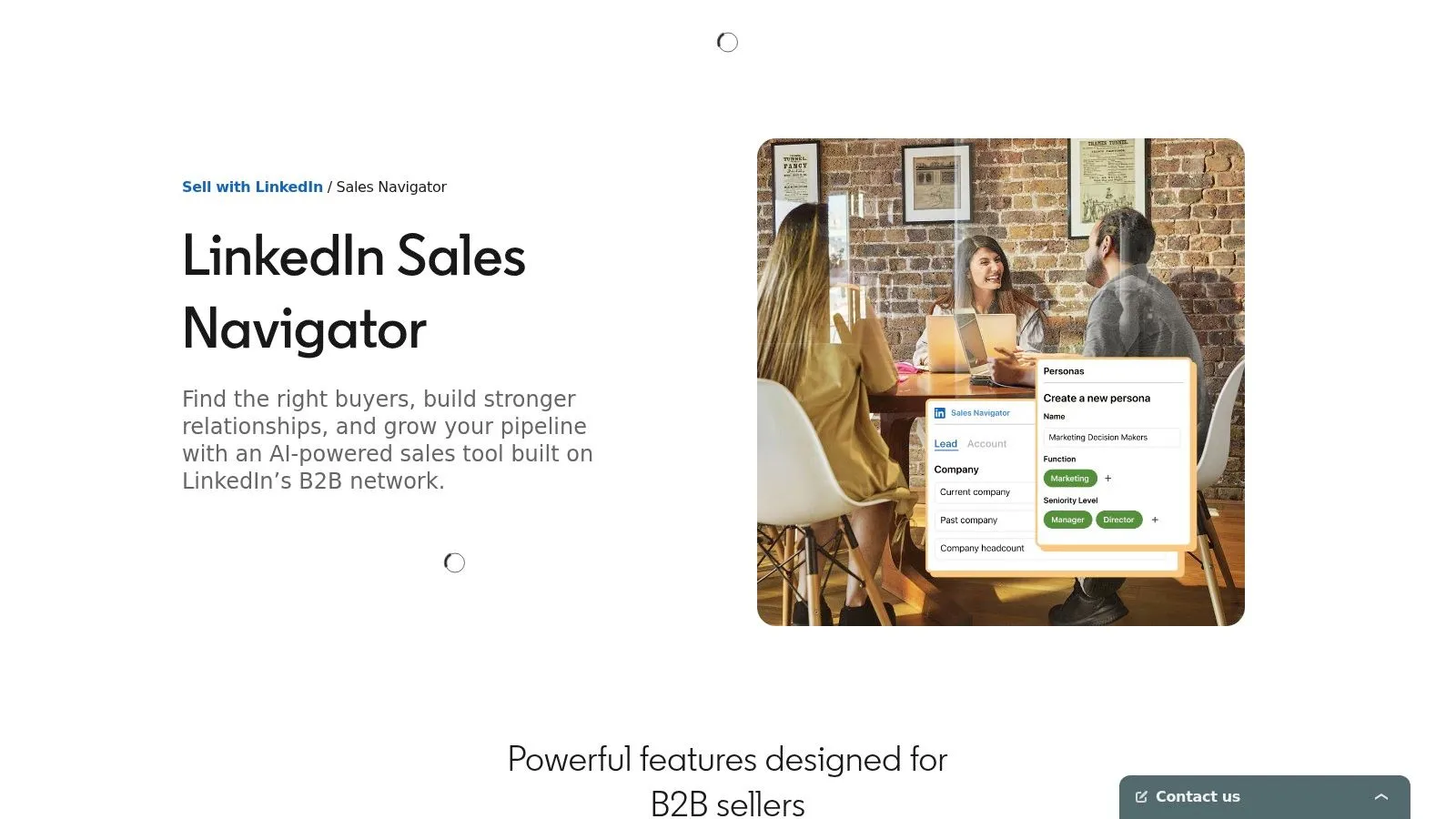
Context helps reps approach buyers while they are researching options. In Sopro’s State of Prospecting 2025 report, 88% of B2B buyers said they wanted to hear from vendors while researching and evaluating options. Sales Navigator can help reps see relevant account activity, but the team still needs a clear offer and a follow-up process.
4. Clay
Clay is a workspace for building and maintaining prospecting data, not a ready-made list. RevOps and growth teams can combine LinkedIn, websites, CRM records, and provider data in tables, then use enrichment waterfalls to fill gaps. Signals such as job changes, hiring, company news, and social activity can inform those records. Eligible plans support updates through CRM, API, or webhook. A free plan is available. Paid plans are billed annually, with enrichment and AI usage charged on top of the base plan, so check current pricing before budgeting.
The trade-off is operational ownership. Someone must maintain the waterfalls, monitor credit use, and define what makes a row usable. Founders looking for a button that produces meetings should choose a more automated workflow. RevOps teams working around gaps in a provider’s coverage may find Clay useful, provided someone owns the table.
Data quality is a process, not a logo on the enrichment tab.
The 2025 B2B sales report from Kondo says only 35% of sales professionals fully trust their organization’s data, and CRM administration can take 18–19% of a rep’s time. Clay is most useful when a team assigns responsibility for bad records, suppression, and documenting why each lead was selected. If nobody will maintain the table after setup, the added flexibility becomes extra work without dependable data.
5. Lusha
Lusha is built for reps who have a prospect’s name and need contact details before reaching out. Its browser extension can reveal business emails and phone numbers on LinkedIn and other sites. Reps can also filter contacts and companies, then send data to a CRM, workflow, or API.
The free tier offers a limited monthly credit allowance, while paid plans use annual billing and remain credit-based. Phone reveals typically consume more credits than email reveals. That makes the cost of a call-first workflow harder to predict than email research. Check credit use against your team’s expected mix before committing.
Lusha suits manual research, not high-volume enrichment. Verify coverage for the countries and job titles your team targets. A strong match on one list does not guarantee coverage in a thinner market.
- Good fit: SDRs who need an email or mobile number for targeted research before a call block.
- Poor fit: Teams that need buying signals, sequences, and audience management in one tool.
- Ops check: Confirm opt-outs and bad numbers sync back to the CRM, so reps do not repeat outreach to the same contact.
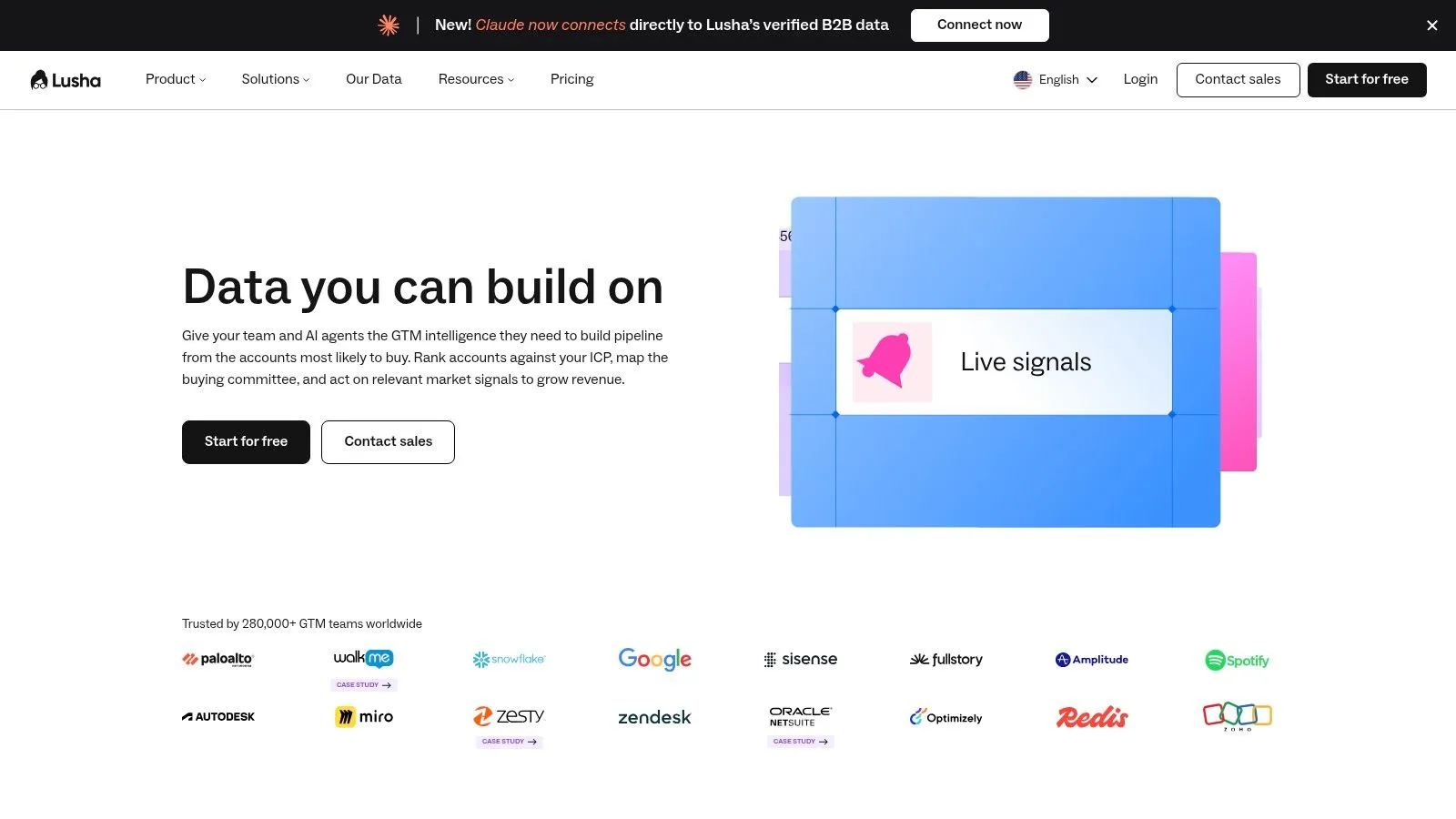
Compare the billing unit with your workflow, then validate accuracy on your own accounts.
6. Cognism
Cognism is worth the sales call when the motion is phone-heavy, international, or both. You search by role, seniority, location, industry, and company size, pull phone-verified contacts, enrich the CRM, and use buying signals plus account context to decide who gets a dial today. Integrations, API, and MCP access are there for teams that do not want another dead export.
Pricing is quote-based. That is the tax. You cannot model cost per connected call until a rep runs your real accounts through a pilot. A five-person team that prospects occasionally will feel the platform is heavier than the job. Coverage also moves by market, so an EMEA win does not promise the same connect rate in a newer region.
Phone-verified data saves dials only if your team will actually call. Verified mobiles sitting in a sequence nobody works are an expensive spreadsheet.
Ask who owns stale records, how suppressions sync, and whether the tool can show why a lead was picked. Those answers matter more than the size of the database on the slide.
7. ZoomInfo
ZoomInfo is the broad go-to-market platform. Search companies and decision-makers, enrich CRM records, and prioritize with intent, company-change, and org-chart signals. Sales, marketing, and operations products sit in the same family, which helps an account-based team that wants one data spine.
Paid pricing is custom. The company references a free ZoomInfo Lite offer, and you should confirm what that tier includes before you plan a pilot around it. For an early-stage team with a short list of target accounts, the platform is often more system than you will use. Intent and org changes are prioritization inputs. They are not proof someone is ready to buy.
Buyer journeys are also wider than one database. McKinsey’s 2022 B2B research found buyers used up to, and sometimes more than, 10 channels during a purchase, double the number from five years earlier. A large intelligence platform helps you see account context. It still needs a human motion for the channel where the conversation starts. Read how sales intelligence tools differ before you sign a quote you cannot unwind.
How the seven sales prospecting tools compare on price, free access, and best-fit use case
Price is only useful when the billing unit and workflow fit the team. Compare the published entry points with the job each tool handles, then check how much manual work remains.
| Item | Starting price (as published) | Free option | Best for |
|---|---|---|---|
| LeadBeast | $237/month (Professional, billed monthly) | Start for free | LinkedIn-first B2B teams prioritizing warm buying signals |
| Apollo.io | Paid annual plans | Free plan | Teams combining prospect discovery and outbound |
| LinkedIn Sales Navigator | $119.99/month for Core | No free option stated | LinkedIn prospect and account research |
| Clay | $167/month, billed annually | Free plan | Teams building custom prospecting workflows |
| Lusha | $37.45/month, billed annually | 40 credits per month | Manual prospect research and contact enrichment |
| Cognism | Quote-based | No free option stated | Teams seeking phone-verified data and international coverage |
| ZoomInfo | Custom pricing | ZoomInfo Lite offering; availability and limits may vary | Larger teams seeking broad sales intelligence |
LeadBeast’s Professional plan includes 3 LinkedIn senders, 6 campaigns and 10 team seats. Its Business plan is $483 per month, billed monthly, with 7 senders, 14 campaigns and 10 team seats. Both plans include unlimited warm leads, intent signals, AI outreach, one reply inbox, and API and MCP access. This suits teams that value qualified LinkedIn conversations over list volume. Compare per-sender pricing with credit-based or custom pricing, and account for the time required to manage workflows and route replies.
Pick the Stack Your SDRs Will Actually Use
Match the tool to the motion, then stop shopping.
- LinkedIn-first intent: LeadBeast, or Sales Navigator if you only need research and will write by hand.
- Database-led cold email: Apollo.io for smaller teams that want search and sequences together.
- Custom enrichment: Clay, with a named owner for the tables.
- Manual lookups: Lusha, watched against credit burn.
- Phone-heavy or international: Cognism, after a coverage pilot.
- Scaled account intelligence: ZoomInfo, if you will use more than the contact search.
Run a two-week test on your real ICP. Measure connection acceptance, reply rate, and meetings booked. Do not measure list size. Log the billing unit before you start, whether that is per sender, per credit, per seat, or a custom quote. Check how a reply lands in the CRM, who suppresses an opt-out, and whether a rep can see why the lead was chosen.
Star ratings will not make that call. G2’s 2025 sales-intelligence category shows an average 4.41/5, while individual products range from near-perfect satisfaction scores to much lower ones. Weight review volume, data accuracy, and whether users turn a signal into a verified ICP match.
No tool replaces a clear offer, tight messaging, and an ICP you can say out loud. Results move with market and execution. If you want a wider market scan while you decide, start with this roundup of top prospecting software for sales teams and then cut it down to the one motion your SDRs will run next month.
LeadBeast turns LinkedIn buying signals into targeted outreach for teams that care more about relevance than send volume. You describe the buyer, we qualify people and companies against that ICP, and replies land in one inbox that syncs to the CRM. Visit LeadBeast to start the trial and test it on your real accounts.