Your reps start the day with good intentions. One prospect liked a LinkedIn post yesterday. Another opened an email last week but never replied. A third asked for pricing on a call, but the note is still sitting in someone’s notebook instead of the CRM.
By lunch, the team has touched email, LinkedIn, a dialer, calendar links, Slack, and Salesforce or HubSpot. Follow-ups happen, but not in any reliable order. The loudest task gets done first. The hottest buyer doesn’t always get the next touch.
That’s usually the moment a new SDR manager realizes the problem isn’t effort. It’s coordination.
A sales engagement platform exists to bring order to that mess. Not just by sending more emails, and not just by putting reps into fixed sequences, but by helping the team act with better timing, cleaner context, and less manual juggling. When these systems work well, they don’t feel like a bulk messaging tool. They feel like a control layer for seller activity.
Table of Contents
- Introduction Why Outreach Feels Chaotic Without Orchestration
- What a Sales Engagement Platform Really Is
- Core Capabilities That Make Engagement Work
- How Typical Workflows Run From Signal to Meeting
- Sales Engagement Platform Versus Alternatives
- How to Evaluate Fit and Choose the Right Platform
- Putting It All Together and Next Steps
Introduction Why Outreach Feels Chaotic Without Orchestration
A common scene on B2B teams looks like this. One rep is building a follow-up list from a spreadsheet export. Another is copying LinkedIn profile details into a CRM field so they can personalize a message later. A manager is asking why a promising account went cold, and nobody can quickly see the full interaction history across channels.
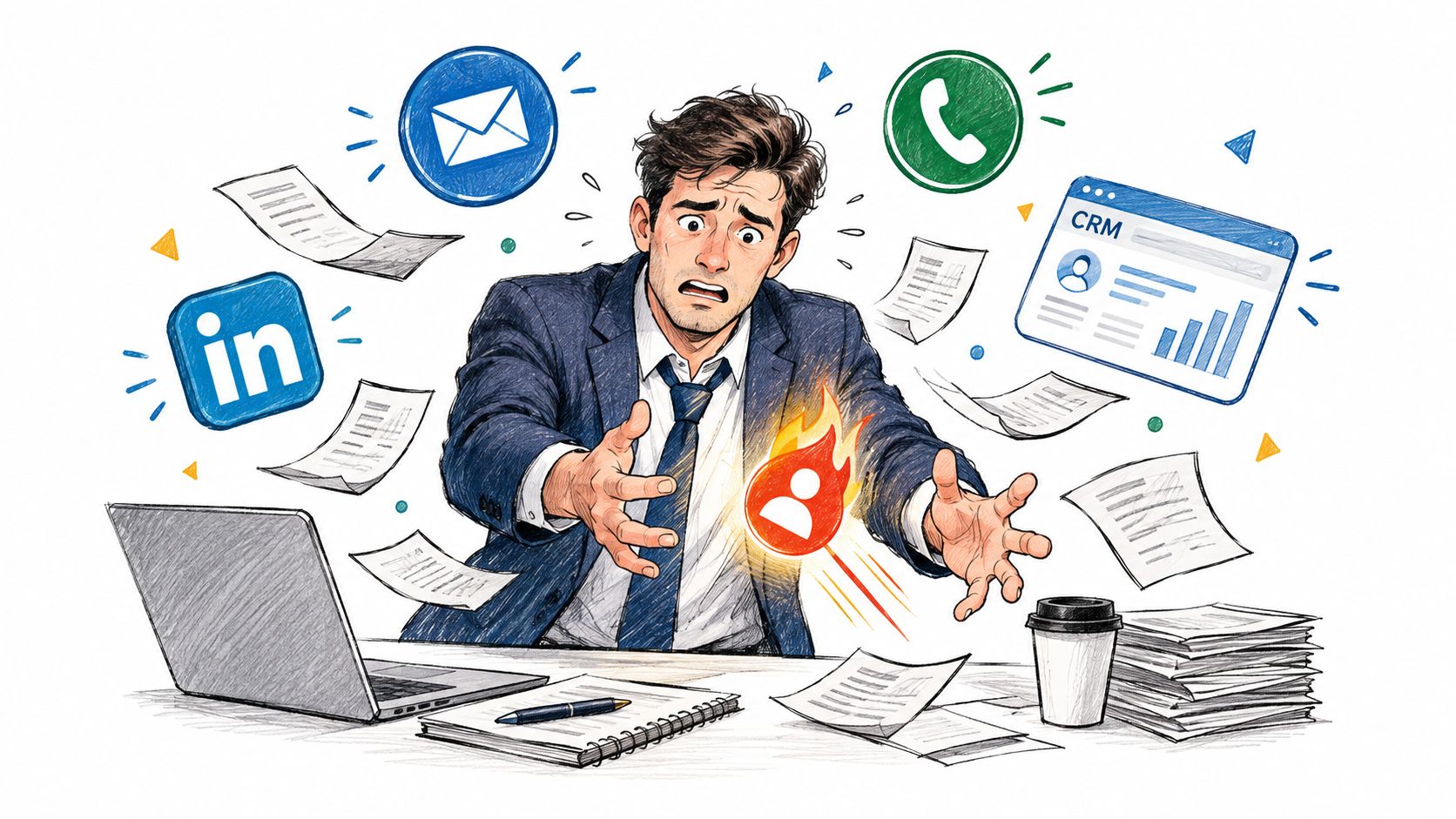
The result feels chaotic because each activity makes sense on its own, but the system around those activities is weak. A rep may send a solid email. They may make a timely call. They may even notice a buying signal. But if none of those touches are connected, the buyer gets a fragmented experience and the team loses momentum.
Why good reps still miss warm prospects
Most missed follow-ups don’t happen because reps are careless. They happen because context is scattered.
A rep might know that a buyer changed jobs, but not realize the account is already in an active outbound motion. Another rep may see a reply in their inbox, while the CRM still shows the contact as untouched. A manager may review activity counts without knowing whether those touches landed in inboxes or disappeared into spam folders.
That kind of disconnect turns outreach into a volume game. Teams send more because they trust the system less.
Buyers rarely disappear because the team lacked activity. They disappear because the next action wasn’t clear at the right moment.
Why this category exists at all
Sales engagement platforms emerged because outbound selling needed repeatable workflows, cadence management, and a way to organize buyer signals. Over time, the category moved toward AI-driven revenue orchestration. You can see that shift in a public market timeline summarized by Market Intelo’s sales engagement platform market report, which notes Salesloft’s 2011 founding, its 2019 conversation intelligence launch, a 2021 acquisition valued at about $2.3 billion, and an AI-driven signal-to-action engine introduced in 2022.
That progression matters. It shows how the market moved from simple sequencing toward systems that help sellers decide what to do next based on buyer behavior.
If you’re managing SDRs, that’s the practical lens to use. Don’t ask, “How can we automate more touches?” Ask, “How can we make timing, context, and follow-through consistent across the team?”
What a Sales Engagement Platform Really Is
Think of a sales engagement platform like air traffic control for seller-buyer interactions. Planes still fly. Pilots still make decisions. But without a control tower, takeoffs, landings, timing, and routes become messy fast.
The same thing happens in sales. Reps still write messages, make calls, and run meetings. The platform’s job is to coordinate those actions so they happen in the right order, with the right context, and with a record that the whole team can trust.
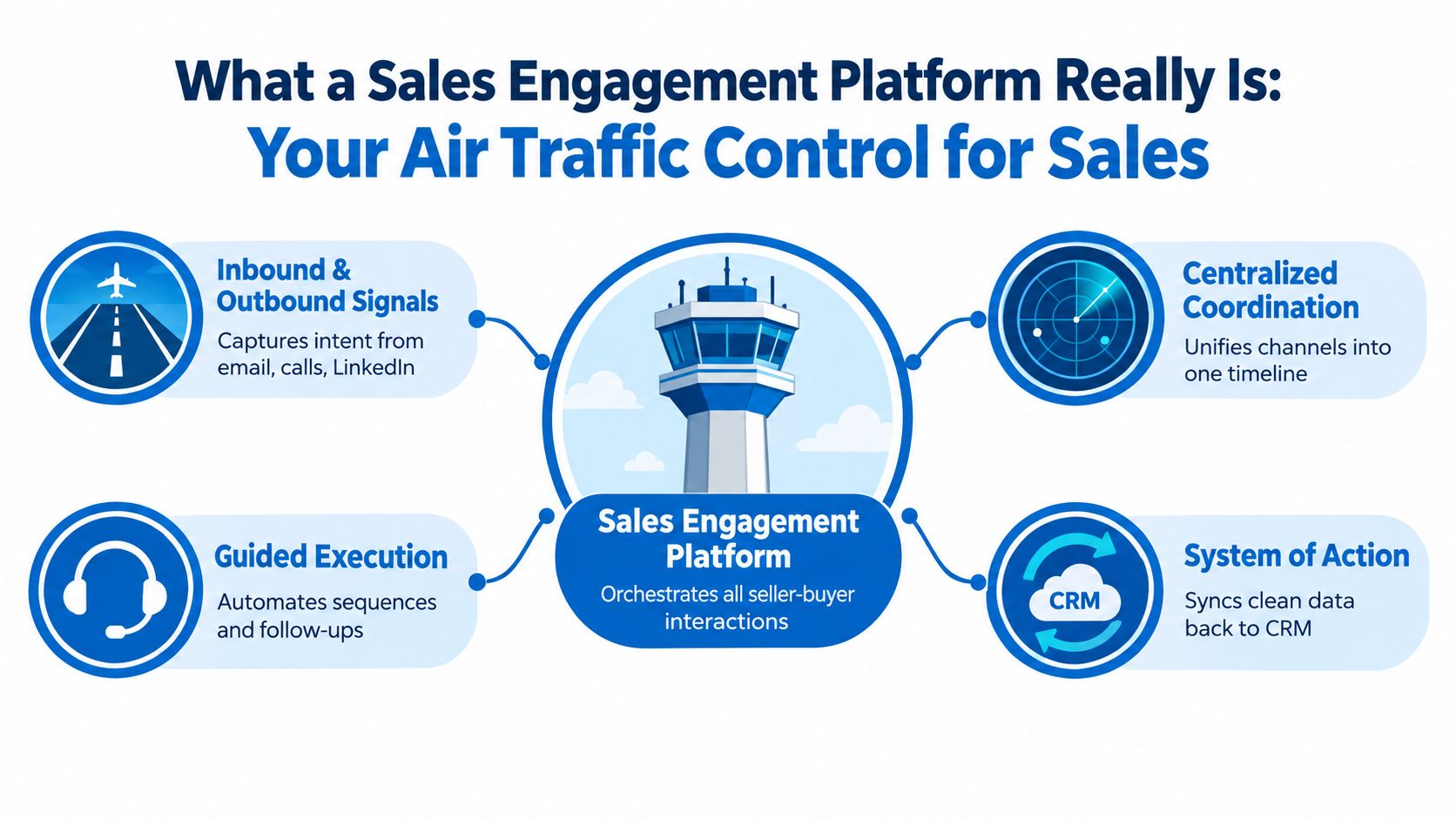
A sales engagement platform is a system of action for revenue teams. It helps reps decide, execute, and record the next best touch across channels.
Orchestration is not the same as automation
People get tripped up.
Automation means the software does a task for you. Send this email tomorrow. Create a call task after two days. Pause a sequence after a reply.
Orchestration means the software coordinates many moving parts so the whole motion works better. It doesn’t just send the email. It checks whether the contact belongs in that workflow, whether the rep should call instead, whether a reply should stop future steps, and whether the CRM should update the account status.
A basic sequencer automates touches. A true sales engagement platform orchestrates the motion.
Where it sits in the stack
Many teams already have a CRM, a meeting scheduler, email, and maybe a dialer. So they ask, “Isn’t that enough?”
Usually, no.
A CRM is the system of record. It stores contacts, accounts, opportunities, and stages. It’s where leadership expects the truth to live.
A sales engagement platform is the execution layer. It’s where reps work through prioritized outreach, guided tasks, multichannel cadences, and signal-based follow-up.
Marketing automation sits somewhere else again. It usually handles one-to-many programs such as nurture campaigns, form routing, and lifecycle communication. A sales engagement platform is built for rep-driven selling.
A one-sentence definition you can actually use
If you need a simple way to explain it to a new manager, use this:
A sales engagement platform helps sellers run timely, coordinated outreach across email, calls, social, and tasks, while syncing the activity back to the CRM.
That phrasing matters because it avoids the biggest misunderstanding in this category. These tools are not just for sequence volume. They’re for timing and context at scale.
Core Capabilities That Make Engagement Work
A sales engagement platform only earns its keep when its parts work together. Teams often evaluate these tools by scanning feature checklists, but the important question is whether those features create a reliable operating system for reps.
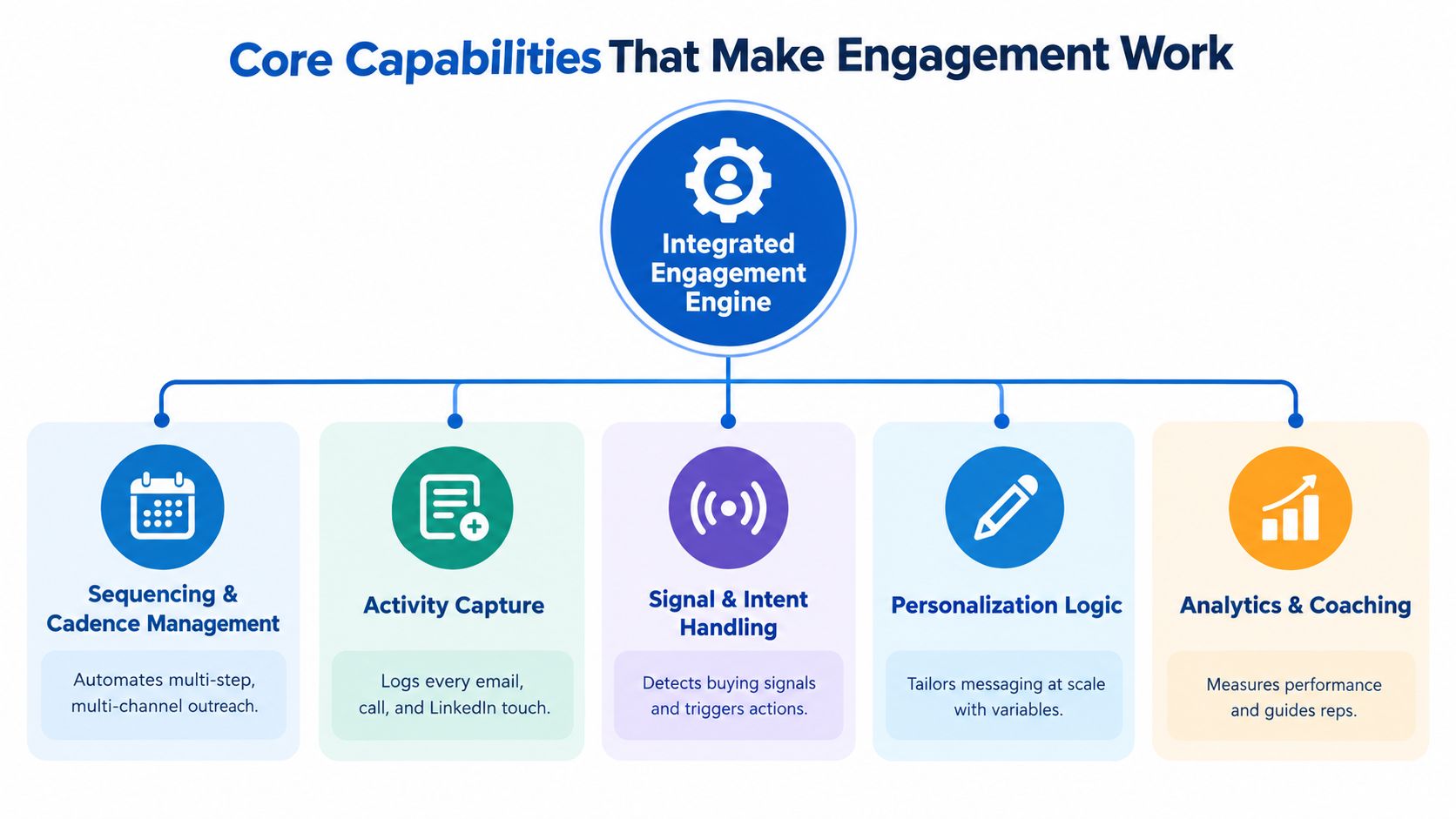
The five capabilities that matter most
Here are the building blocks worth understanding.
-
Sequencing and cadence management: This is the scheduling layer. It controls when touches happen, in what order, and across which channels. Good cadence tools don’t just stack emails. They mix tasks, calls, LinkedIn steps, and reply handling.
-
Activity capture: Every outbound and inbound touch should land in a shared history. If a rep sends an email, logs a call, or gets a reply, the record should be visible without manual cleanup.
-
Signal and intent handling: This is what turns outreach from static to responsive. The platform should react to buyer behavior such as replies, content engagement, account changes, or social signals.
-
Personalization logic: Reps need more than first-name tokens. Strong systems let teams branch messaging based on persona, trigger, account context, and stage.
-
Analytics and coaching: Managers need to inspect what happened, not just what was scheduled. That includes sequence performance, reply patterns, rep execution, and whether the motion is creating usable pipeline activity.
Why CRM sync changes everything
The technical value of a sales engagement platform comes from orchestration, not messaging volume. A summary of buyer guidance in Gartner reviews for sales engagement applications highlights why native CRM integration matters so much. These applications are most effective when activity, replies, and sequence state sync bidirectionally into the system of record. Otherwise, visibility breaks, automation gets brittle, and forecasting suffers.
That sounds abstract until you see the failure mode.
A rep gets a reply. The sequence doesn’t pause. Another rep sees stale CRM data and starts a second outreach motion. The buyer now receives conflicting messages from the same company. Nothing about that failure came from bad copy. It came from weak system coordination.
Practical rule: If the platform can’t write cleanly back to the CRM and trigger actions from CRM field changes, treat every automation promise with caution.
What to inspect before you buy
Instead of asking vendors for a giant feature demo, ask narrower workflow questions:
- Can it sync both ways: Activity should move into the CRM, and CRM changes should trigger or stop outreach.
- Can it preserve one interaction history: Managers and reps shouldn’t have to piece together email, call, and social touches from separate views.
- Can it react to signals: A sequence should change when the buyer does something meaningful.
- Can it support living audiences: Static CSV lists go stale fast. Teams need audiences that refresh as people qualify in or out.
If you’re thinking about intent-led workflows specifically, this breakdown of intent signals versus static lists is useful because it shows why audience quality matters as much as sequence design.
How Typical Workflows Run From Signal to Meeting
The best way to understand a sales engagement platform is to watch the motion in order.
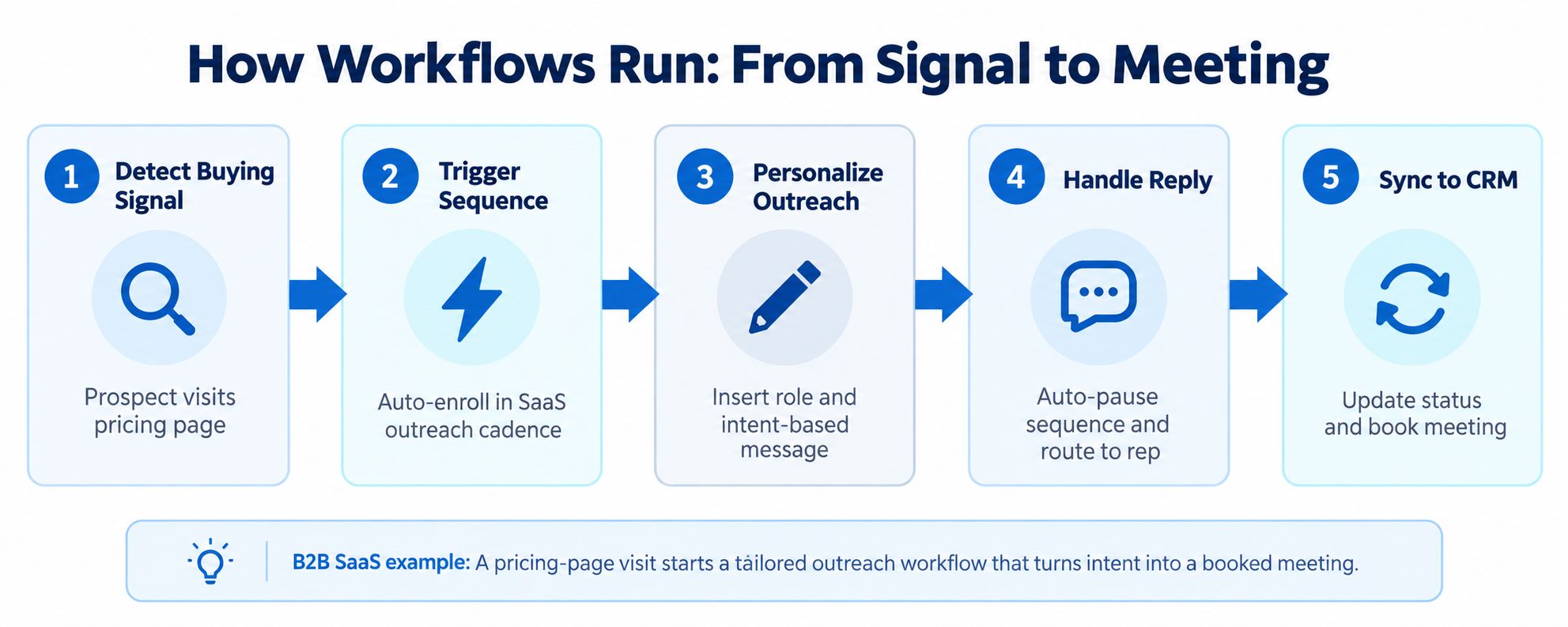
Suppose your team sells B2B SaaS to operations leaders. One target account shows fresh buying activity. A director comments on a relevant LinkedIn post, someone from the same company visits the pricing page, and your CRM shows the account is in the right territory. Instead of waiting for a rep to notice all this manually, the system assembles the context and starts the right workflow.
Step one through step three
First, the platform detects a signal. That could come from website behavior, a role change, engagement on LinkedIn, or an inbound handoff from marketing. The signal matters because it answers a simple rep question: why this account, why now?
Second, the system triggers the right outreach path. Maybe the rep gets a task to review the account before sending a note. Maybe the contact is enrolled in a multichannel cadence that starts with LinkedIn, then email, then a call task. The point is not to automate blindly. The point is to route the lead into a motion that matches the context.
Third, the platform personalizes the message using the trigger. If the prospect changed roles, the opener can reference the transition. If they engaged with pricing, the copy can speak to evaluation timing. The sequence becomes more relevant because it responds to a real event.
For teams building LinkedIn-led motions, it’s helpful to study how LinkedIn lead generation tools fit into a broader workflow instead of acting as standalone scraping or messaging utilities.
A short product walkthrough helps make this concrete:
Step four and step five
Now the buyer replies. A good sales engagement platform pauses future touches automatically. The rep sees the reply in context, not in isolation. They can review prior steps, account notes, and related tasks before responding.
At the same time, the system syncs the state back to the CRM. Contact status changes. The activity history updates. If a meeting is booked, the owner and stage logic stay aligned with the source motion.
That looks like in practice:
- Signal appears: A prospect shows behavior that matches your ICP and timing criteria.
- Workflow starts: The platform assigns or enrolls the prospect into the correct motion.
- Rep acts with context: Messaging reflects the trigger, persona, and account background.
- Buyer responds: Automation stops where it should, and the human conversation begins.
- System updates: CRM records, tasks, and reporting reflect what happened.
One useful example in this category is LeadBeast, which detects LinkedIn buying signals, qualifies people and companies against an ICP, and automates context-aware outreach while syncing data into common CRM and outreach tools. That’s a good illustration of the larger idea. The workflow starts with a signal, not a cold list.
Sales Engagement Platform Versus Alternatives
Sometimes a team doesn’t need a full sales engagement platform. Sometimes they do, and they waste months trying to stretch simpler tools into a job they weren’t built to handle.
The easiest way to decide is to compare categories, not brand names.
Choosing Between Sales Engagement and Adjacent Tools
| Capability | Sales Engagement Platform | CRM Alone | Marketing Automation | Basic Sequencer |
|---|---|---|---|---|
| Multichannel rep workflow | Strong support for email, calls, tasks, and often social touches | Usually limited because reps must coordinate manually | Built more for campaign communication than live rep activity | Usually centered on email, sometimes light task support |
| Orchestration of next actions | Designed for guided execution and sequence logic | Depends on custom process discipline | Works for nurture logic, not daily SDR execution | Handles scheduled steps but usually lacks deep routing logic |
| CRM write-back and operational sync | Central buying criterion, especially in mature deployments | Native because the CRM is the record itself | Often syncs lead and campaign states, not full rep workflow detail | Varies widely and can become fragile |
| Coaching and rep inspection | Often includes execution views and manager oversight | Activity exists, but rep workflow visibility is weaker | Better for campaign reporting than seller coaching | Usually limited to simple step metrics |
| Fit for signal-led outbound | Good fit when timing and buyer context drive outreach | Possible, but manual and hard to scale | Better for broad nurture than rep-triggered action | Useful for lightweight outbound, less useful for complex motion |
When each option makes sense
A CRM alone can work for an early founder-led sales motion. If one or two people know every account personally, manual follow-up may still be manageable.
Marketing automation works when the goal is broad lifecycle communication. Think lead nurture, webinar follow-up, or product education at scale.
A basic sequencer can be enough for a small outbound team testing messaging and learning process discipline. If you’re only managing a straightforward email-first motion, it may cover the essentials.
A sales engagement platform becomes necessary when reps need coordinated multichannel execution, shared visibility, and trigger-based follow-up across a larger book of business.
If your team spends more time deciding who should do what next than actually selling, you’ve outgrown point tools.
If you’re comparing broader categories of tooling, this guide to sales automation software is a useful complement because it helps separate workflow automation from true engagement orchestration.
How to Evaluate Fit and Choose the Right Platform
Once you’ve decided the category fits, the next mistake is choosing on surface features alone. Fancy AI copy generation gets attention in demos. Clean execution gets results.
Start with the system, not the sequence builder
Independent pricing comparisons collected by EmailAnalytics in its sales engagement platform review place entry-level plans around $15 to $60 per user per month, mid-tier multichannel plans around $60 to $100, and enterprise platforms such as Outreach and Salesloft around $100 to $165 per user per month with annual commitments. The same review notes tested inbox-placement rates as high as 93.1% using native tools and 88.2% for another tested platform.
Those numbers matter for one reason. They remind you that price and performance usually track the quality of the system behind the workflow. Higher tiers often fund stronger multichannel orchestration, deliverability controls, coaching features, and richer CRM synchronization.
If emails don’t reach inboxes, raw send volume tells you very little.
A practical evaluation checklist
Use a buying process that forces the team to inspect the operating layer.
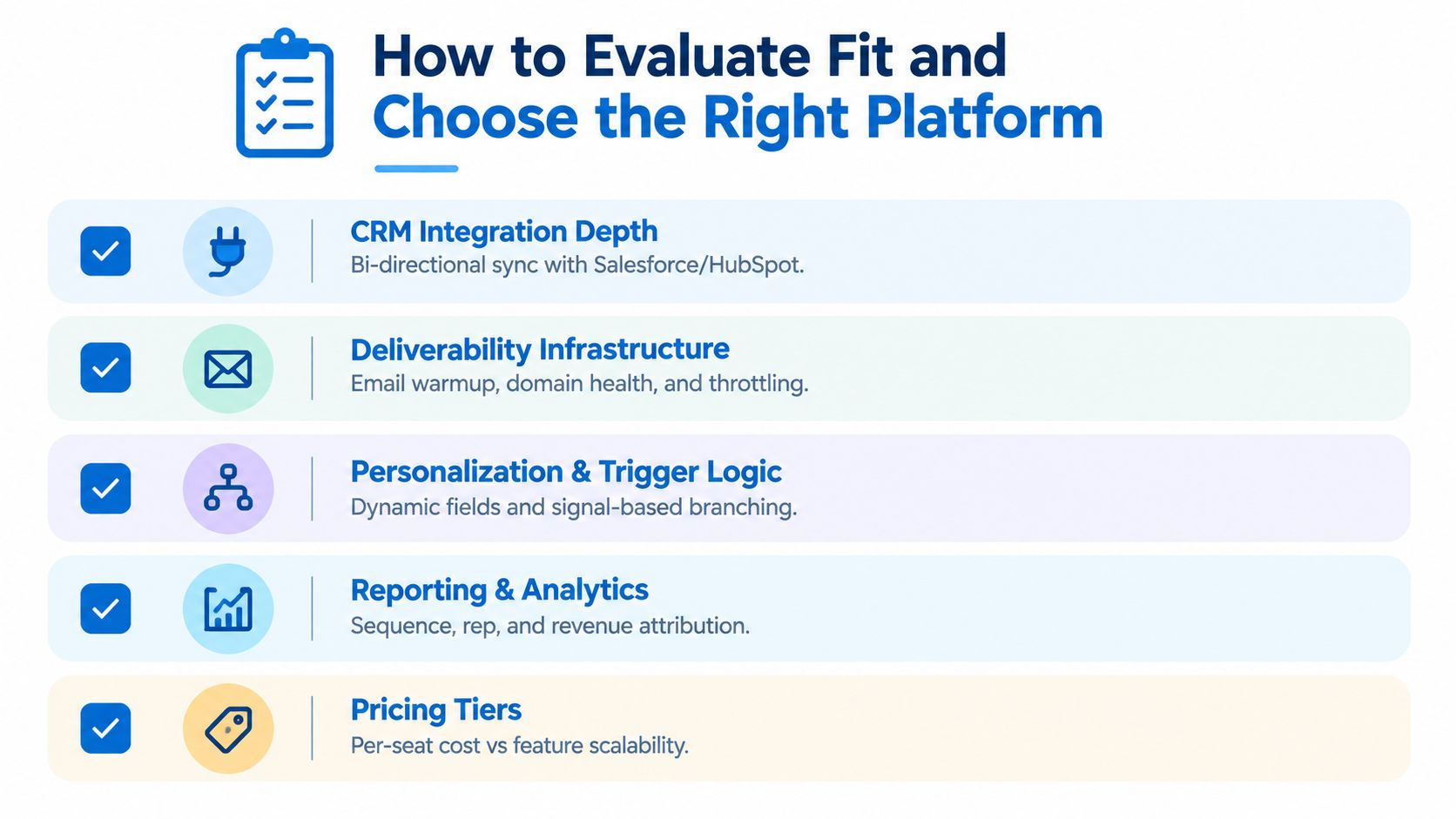
- CRM integration depth: Look for reliable bidirectional sync, field-based triggers, task orchestration, and clean write-back into the system of record.
- Deliverability infrastructure: Ask about inbox placement, pacing controls, sending behavior, and how the platform protects mailbox health.
- Personalization and trigger logic: Test whether the tool can branch by persona, account state, and real buyer signals instead of only using merge fields.
- Reporting and inspection: Managers need views that connect activity execution to replies, meetings, and pipeline progress.
- Workflow resilience: Check what happens after replies, bounces, ownership changes, and duplicate records. Fragile automation creates cleanup work.
- Rep usability: A strong platform should reduce context switching. Reps shouldn’t need five browser tabs open just to complete a morning queue.
How to run a useful pilot
Don’t start with every rep and every motion.
Run one focused pilot around a single segment and one repeatable workflow. For example, choose a defined ICP, one source of intent or engagement data, and one multichannel motion. Then inspect a small set of outcomes:
| What to test | What to look for |
|---|---|
| Inbox placement | Whether messages are actually landing where buyers can see them |
| Reply handling | Whether automation pauses correctly and routes conversations cleanly |
| Meeting creation | Whether good timing and context improve booked conversations |
| CRM hygiene | Whether activity history, owner assignment, and status updates stay clean |
Strong evaluation isn’t about asking which tool sends the most. It’s about learning which system helps reps act at the right moment with the least friction.
Putting It All Together and Next Steps
A sales engagement platform is easiest to understand when you stop thinking about it as a sequencing tool. Its real job is to coordinate timing, context, and rep action.
That’s why two teams can buy similar software and get very different results. One team loads a static list, sends a lot of email, and wonders why the CRM turns messy. The other starts with buyer signals, routes people into the right motion, protects deliverability, and gives reps a clean place to work. Same category. Very different operating model.
If you’re leading SDRs, start small and keep it practical.
Choose one narrow ICP. Define one signal that should matter. Map one workflow from trigger to meeting booked. Then inspect whether the platform helps the team do three things better: notice the signal, act with context, and record the outcome cleanly.
A few habits will keep the rollout grounded:
- Prioritize living audiences: Buyers change roles, priorities, and timing. Your target list should update as reality changes.
- Measure quality, not just activity: A meeting from a well-timed touch matters more than a large send count with weak placement.
- Treat CRM sync as a frontline issue: Dirty data doesn’t stay in operations. Reps feel it every day.
- Coach from workflow evidence: Review what happened before the reply or missed reply, not just the final outcome.
Teams that get the most from this category usually make one mindset shift. They stop rewarding volume first and start rewarding relevance first.
That shift is where real ROI begins.
LeadBeast helps B2B teams turn LinkedIn activity into signal-based outreach workflows instead of static list campaigns. It detects buying signals, qualifies people and companies against your ICP, and syncs replies and campaign data with common CRM and outreach tools. If you want to explore that approach in practice, visit LeadBeast.